
Today, I am going to talk about two different types of exposure compensations; camera exposure compensation and flash exposure compensation. They both are different and work differently to some extent but not always (depending on what camera body you are using). When I was learning about flash photography, I found this topic little difficult and confusing to understand but I will try to explain it as clear as I can. Let's talk about them briefly one by one and see how does it work differently in different camera bodies.
Camera exposure compensation: Camera exposure is set on the camera body and affects both ambient and flash exposure for Nikon; but only ambient exposure for Canon cameras.
Flash exposure compensation: Flash exposure is set on the flash unit itself. Flash exposure compensation affects flash output only. Changing the flash exposure doesn’t affect ambient exposure.
Nikon Vs Canon (Exposure compensation)
Nikon camera allows you to change the exposure compensation which sets the overall exposure (flash and ambient exposure) even if you are in a Manual mode. But in Canon camera, you can’t dial exposure compensation in a Manual mode.
With Nikon, the camera exposure compensation for the ambient light and the flash exposure compensation are cumulative when ambient light is low and flash is using as the main source of the light. For example, if the camera exposure compensation is set to +2.0 EV and the flash is set to -2.0 EV, it would cancel each other resulting 0.0 EV for the overall exposure compensation.
But when the ambient light is strong and you are using the flash as a fill light, camera sync speed (using Auto FP High speed sync decreases the power of the flash output) and apertures and other settings come into play to determine the overall exposure with the combination of the flash exposure and the camera exposure compensation.
But with Canon, flash exposure compensation and the camera exposure compensation aren’t linked together, as they are with Nikon. So with Canon, in a Manual exposure mode, you can only set the flash exposure compensation which doesn’t affect the ambient exposure.
Why do we need exposure compensation?
Camera metering sensor tries to map everything inside the frame (provided your metering system is in the Matrix metering mode) into 18% middle gray. If your subject is white with the white background, camera auto metering system tries to map it to 18% gray and the result will be underexposed. Similarly if your subject is dark around the dark background, metering system gets confused by the dark tonal color and tries to convert everything into 18% middle gray and hence you will get overexposed subject. To balance the color tones in these kind of scenario, you have to use the exposure compensation to tell the camera “Do whatever you think is right and add or subtract extra light to adjust the subject tonal color to get the perfect color tone mapping”.
How does exposure compensation work?
When you are in an Auto Exposure mode or semi-auto Exposure mode like Shutter Priority mode (S) or Aperture Priority mode (A), dialing the exposure compensation tries to adjust the color tone by adjusting the Shutter speed or an Aperture depending up on which mode you are currently in. If you are using an Aperture Priority mode, changing the exposure compensation adjusts the Shutter speed to balance the overall exposure, and if you are using the Shutter Priority mode, exposure compensation changes an aperture value to adjust the exposure.
To support my explanation, I have included few photographs I have taken (using Nikon D90+SB-600) during my experiment. All these photographs were hand-held shot and taken in a Manual mode using front curtain flash. You will see blurred words due to camera shake but it has nothing to do with today’s experiment and it's finding. All of these photographs were taken using same aperture value, shutter speed, ISO and focal length and the values are:
Shutter speed : 1/4 Aperture : f5 ISO : 200 Focal length : 70mm
#1 Manual Mode (Camera Exposure 0 and No flash unit attached)

Camera Exposure Compensation 0 and No flash attached
#2 Manual Mode (Camera Exposure -2 and No flash unit attached)

Camera Exposure Compensation -2 and No flash attached
#3 Manual Mode (Camera Exposure +2 and No flash unit attached)

Camera Exposure Compensation +2 and No flash attached
#4 Manual Mode (Camera Exposure 0 and flash exposure compensation -2)

Camera Exposure Compensation 0 and FEC -2
#5 Manual Mode (Camera Exposure 0 and flash exposure compensation 0)

Camera exposure compensation 0 and FEC 0
#6 Manual Mode (Camera Exposure 0 and flash exposure compensation +2)

Camera exposure Compensation 0 and FEC +2
#7 Manual Mode (Camera Exposure -2 and flash exposure compensation +2)

Camera exposure Compensation -2 and FEC +2
#8 Manual Mode (Camera Exposure +2 and flash exposure compensation -2)

Camera exposure Compensation +2 and FEC -2
If you look at the picture #1, #2 and #3 closely, you will hardly find any lighting difference and the exposure even though I told camera to set 0 EV, -2 EV and +2EV camera exposure simultaneously with no flash unit attached. And in other pictures (#4, #5, #6, #7 and #8) where I used the flash unit attached in camera hot shoe, the camera exposure compensation and the flash exposure compensation are cumulative. This is true only with the Nikon camera. But if you are using Canon body, they both are separate entity and they both work entirely separately without affecting one another. Again, in Canon camera body, the camera exposure compensation controls the ambient light and the flash exposure compensation control the flash output power separately to control the overall exposure.
Conclusion:
If you are shooting with a Nikon camera body using an external flash unit (mainly in a Manual mode) and trying to balance the exposure, never use the exposure compensation but rather use the Shutter speed and an Aperture to balance the ambient light and use the Flash Exposure Compensation (FEC) to balance the flash output power to your main subject.
But if you are using Canon camera body, you can use them independently to balance the ambient light and the flash output to control the overall exposure.



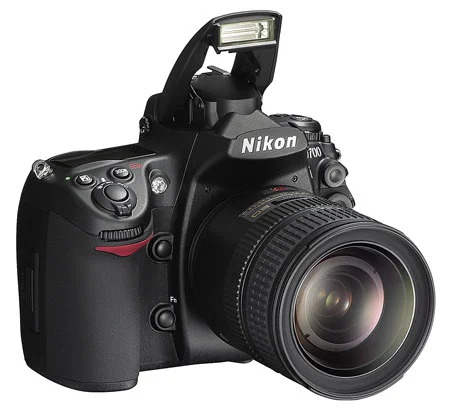
Almost all consumer level DSLRs and some of the pro level DSLRs come with the built-in flash. Professional photographers who shoot wedding, fashion, commercial portrait, or other special events do not rely on built-in flash to illuminate their subject. But, you don't have to use flash only when there is not sufficient natural light. It can also be used as a fill light to remove shadows or to add a catch light to the subject's eye. One of the best thing about the built-in flash is, you don't have to carry around an extra equipment and is always available on your camera, as long as the camera has sufficient battery power to charge and fire the flash. It can be put to use instantly whenever you want and doesn’t require any sophisticated setup. However, you need to understand few basics settings of your camera and should be comfortable navigating through the menu settings and the buttons on the camera.
Use of camera's built-in flash and its effect on the picture is determined by various settings on the camera, but most importantly, which metering mode you are currently using and what exposure mode you are on play a bigger role. Let's recap these camera metering modes briefly and then we can discuss about the steps we would be following in order to use on-camera flash. Since I wrote the blog about camera metering (in more detail) almost 9 years ago, Nikon has added a new metering mode; Highlight-Weighted Metering, which we will be discussing in the section below.