FX Format Vs DX Format DSLR

I have got many requests from the readers to talk about FX vs DX format DSLR camera. They also asked me to briefly discuss whether the FX and the DX camera bodies and lenses can be used with each others or not. In short, FX is a full-frame camera which uses bigger censor (36x24 mm) like in the film camera to produce lower pixel density or high quality pictures. This kind of camera is used to produce highly pixelated full framed picture under the low light condition by increasing ISO sensitivity without affecting much on the picture quality. In the current market, Nikon D3X, Nikon D700, Nikon D3S and Nikon D3 are FX format camera from Nikon. Whereas DX format DSLRs use censors that are usually 2/3 of the size (almost 24×16 mm) of the FX censors. That is the main reason DX cameras are cheaper than the full framed FX camera and also they are more sensitive to lights than the full frame camera. Nikon D40, Nikon D60 and Nikon D90 are the examples of DX format camera.

Now the question is, can I use the FX format lens with the DX format camera body or the DX format lens with the FX format camera body? The simple answer is, in case of Nikon, you can use either DX lens or FX lens on the DX camera or the FX camera but same is not true for Canon cameras. You have to have a FX format lens for the FX format Canon body. Lots of photographers think this is the strength of the Nikon camera that you can use either FX lens on DX body or DX lens on FX body (even though there are some limitations on cross combination). You may not want to use DX lenses on the FX camera because, since the lens won't fill the entire frame, the corners of your picture will come out dark. Similarly, if you mount the FX lens on the DX camera body which has a smaller sensor size, only the center of the lens's image circle is captured. The edges are cropped off,  which is equivalent to zooming in on the center section of the imaging area. To be more precise, 1.5 x crop factor will be applied when you use the FX format lens with the DX format body. That means if you mount the 50mm FX format lens on the DX format camera body, it will work as a 75mm (=50mm x 1.5) on the DX body. Actually, this technique is very much popular among the wildlife photographers to reach the long distance subjects by taking advantage of this crop factor.

There are also other pros and cons of both body types. The main advantages of DX sensors are compact wide-range zooms, and you can reach farther with the FX telephoto lenses. You will also have a greater working distance for the close-up or macro shots with the DX sensors. The advantages of the FX sensors are you can shoot with the less noise even at the higher ISO and get the good wide-angle shot with certain type of lenses. If you have something to add or comment, please let me know using the comment box below.

Happy Shooting!

Digital SLR Photography Book For Nikon D90

It is always confusing to find the book which is the best guideline for us to walk through. This creates more confusion when we are totally new to the field and trying to learn something new however possibly we can. When I bought my first DSLR almost 15 months ago, I didn't bother to get a book as a guideline. I learned many things from internet, went to the forum and asked to the experts. I learned myself by playing around with it and seeing other people's work. I took almost 10,000 photos from my D60 and learned from my mistakes. I wish I could have kept that camera but I had no choice but sell it to upgrade to Nikon D90. When I got Nikon D90, it was not totally foreign to me. What I learned with D60 helped me quickly navigate through it’s control and settings. But given the many added features and options this camera came with, I felt the need of better guide than my past experience with less powerful camera. I wanted to get the best result out of it which force me to search for more detailed and descriptive guide for Nikon D90. Soon after, I started searching on Amazon for a good book. I found quite a few books on Amazon but the top two books based on it’s popularity and review were David Busch's Nikon D90 Guide to Digital SLR Photography and Mastering the Nikon D90. After reading lots of reviews from amazon, I decided to go with David Busch's Nikon D90 Guide to Digital SLR Photography.

I am reading this book for a while now and already learned so many new things about DSLR camera that I didn’t know before. This book not only describes about the camera and it's features but also deals with different kind of accessories that fits with the camera. It also talks about various types of lens you can use with camera and it’s pros and cons. Knowing about different kind of lenses is so much important to the beginners. It helps you to get the best possible lens for your photographic genre. I am hoping to learn many more tips and techniques about digital photography and particularly about D90. If you are also reading any book or guide that you find helpful, please do not forget to share with us so that we all can learn from our collective experience.

Keep learning and keep shooting!

What Is The Best Post-Processing Software For Photos?

There has been much debate about which one is the best post-processing software for photography. I decided to write on this topic because I am also confused on this matter and wanted to see what my readers have to say about it. Photography grew as a hobby within me and now it’s becoming a serious passion. I don’t do it to make my living out of it, at least not until today but, I have to admit that it's an expensive hobby to have. As you learn more, you will find that you know very little and there is more area for the improvement. Learning is a never ending process but it would be a fun to learn about something you would love doing. As my journey continues with the photography and learning more about photography, I recently stumbled upon the post-processing software and I am excited to explore more on this area and improve my editing skills.

When you search online about our today’s topic, you will get hundreds of thousands of articles and they all have mixed opinions. There are many software available in the market and they all have their positive sides as well as some negative. But I think getting any particular software is an individual choice and also depends on many factors like how expensive the software is?, how steep the learning curve is?, and so on.

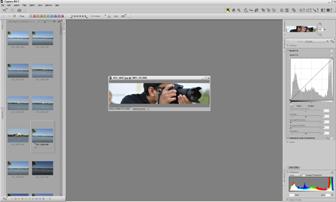
Nikon Capture NX2

Nikon Capture NX2

Personally, I had never used any expensive and complex software to edit my photos. Most of the time, I use Google Picasa to crop my images, put watermarks and tweak some lighting and color saturation. But nowadays, I have been shooting RAW images occasionally and I felt the need for good software to edit my pictures. I did little bit of research on the internet and got Nikon Capture NX2 recently. But, for the most of the time, and also depending on the situation, I don't process them much. Some people may use it because they have heard about it and want to try it out but don't really need it? When I just started photography, I didn't want to spend couple hundred dollars to buy an expensive software just to edit the picture. I used free software that were available to download for anyone and didn’t have much learning curve as well. As I started learning more about photography, I also learned that spending little bit of money for the software also became necessary if I wanted the best result. Free is good but not the best always.

I have also downloaded GIMP but haven't had chance to use it that much. Some people say it's the best and free alternative for the Photoshop Elements. I have also got some suggestions about post processing from pro photographers. And they said, when you start shooting in a RAW mode, that is the only time you might want to start using post-processing software to edit the details. Most of the time, specially if it is a friends and family gathering, I shoot in JPEG FINE mode and do not feel the need of editing much except cropping sometimes.

Anyway, here is the list of few popular and standard post processing software I found during my research.

  • Capture NX 2 (Nikon)

  • GIMP(FREE)

  • Adobe Photoshop (Licensed)

  • Google Picasa(FREE)

  • Apple Aperture (Licensed)

  • iPhoto (Comes with MAC)

  • Adobe Photoshop Lightroom (Licensed)

These are my short list but you can get any software depending on your need and availability in the market. There are many more choices but please do some research before you spend your hard earned money on it. If you are a pro photographer and make your living from photography, post-processing software is a must have tool in today’s market. But, if you are doing photography just for fun or starting it out as a hobby, then may be its a good idea to learn from freely available software first and then slowly move towards the licensed software by properly calculating your need and budget for it.

If you have got any software for post-processing, please feel free to share your experience and let us know what do you think about it.