
This post is a part of our Q&A section. If you want to submit your question, please use the form in the Contact page.

Afrina (Kuala Lumpur, Malaysia) asked : I am not a pro photographer but I enjoy photography. When I visit the flickr and other photographers' website or blog, they have a collection of amazing photographs. Some of the photographers also revel what editing tool they used and what was done on the picture during post-processing. Do you think it is necessary to use any software to make your photograph look good?
I have seen this confusion on many photographers from different level of expertise. I think this wouldn’t be that much of interesting topic when you are just starting photography but as you progress more on your composition skill and master your camera settings, the next stop would be the editing skill. I also went through the same situation a while ago and started looking my option for post-processing. When it comes to the editing, different photographers have different views about the process and the tools they would like to use. Even after reading many blogs and online tips, the answer was not so clear to me whether the editing skill is a must to have to enhance your photography or it is just an optional choice. Some of my friends jokingly say that, if you are using Photoshop to enhance your photographs then it's not a photography, it is a Photoshopgraphy. I find it funny but meaningful statement at the same time. When I see other photographers’ work, I forget all the critics and feel like editing is a must have skill set and is one of the important part of digital photography. After doing much research, I wrote a blog about post processing where I discussed more about the post-processing and listed down some of the best known post-processing software in the market.
To be honest, it is not always necessary to use a software and process the pictures but sometimes you find it necessary just to tweak some settings, adjust colors and lights or even crop the sides. Some people think cropping is not really a post processing but I would say, if you use any software to manipulate the photographs by any means, it is a post-processing because you processed the photographs after taking it out from the camera.
Let me present you an example of a photograph, before and after processing it, and you shall decide if post-processing is really necessary or not. And also, as always, I welcome your comments as well.

Before post processing
I took this photograph of the Lincoln Memorial Reflecting Pool last year. When I came home and downloaded the picture from the camera, I felt good about it's composition (symmetry) but felt like I was missing something on the picture. I was not really happy with the color contrast and thought of playing with the color tones and the contrast and see how will it become. I started editing the picture using Capture NX2, one of my favorite software to process RAW images. During the processing of the image, I increased the color contrast and adjusted the brightness of the picture which transformed the picture into the next level. Just a couple of small tweaks boosted the mood of the image and the result was very impressive. The picture looked more vibrant and lively after the post-processing.

After post processing
The result is in front of you and I let you decide whether the post processing is really necessary in digital photography or not. But looking at the transformation this image got, I think you would agree that post-processing is an essential tool and may greatly help you to enhance the picture if done correctly. You just have to be careful about not doing it too much, otherwise it may not look natural.



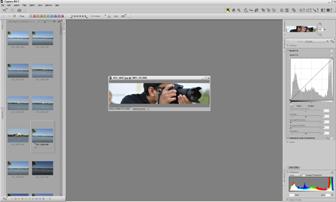

When I started my journey in digital photography ten years ago, I didn't have much interest in post processing. I was more focused on learning photography techniques, know more about the camera controls and the settings and get familiar with the gears, lights and other accessories. As I started gaining more experience with the camera setup and the gears, I felt more comfortable with the technical aspects of the shooting. Slowly, I started learning about the composition technique and used my technical skills to capture the image on various situations. The more I shoot, the more I felt that the camera was not able to capture all the colors I see through the lens. This is when I started to explore the possibility of introducing post-processing tool in my digital photography career. When I was shopping around for my first full frame but third DSLR, Nikon D700, I got introduced to Nikon’s own post-processing tool, Capture NX2, and without putting too much thought into it, I started using it. Since it was my first experience with any kind of post-processing tool, there was a steep learning curve for me but I enjoyed the process. After I started using Capture NX2 for a while, I felt like I was missing a big part of digital photography by overlooking the editing process in my early days of photography. Within a couple of months of using the software, I realized that, when post-processing is applied carefully and skillfully, it can completely change the look and feel of the picture and make it more alive again. But, suddenly, when I was just getting the hang of it, Nikon decided to discontinue the Capture NX2 software and stopped releasing the future updates and the support for the new cameras. I was still able to use the software (to process RAW files from my D700) for a couple of years even after their announcement but it became completely useless when I upgraded my D700 to D810 in 2017.
I had no choice but look for the alternatives which would support the RAW files from the Nikon D810. After doing much research, I decided to go with Adobe Lightroom. It's been little over a year since I started using the Lightroom and I couldn't be more happier. It is lightweight and very powerful program which works well with the varieties of RAW files. When I download the pictures on the computer, I import the RAW (NEF format) files directly into the Lightroom library and edit them when I want to. Besides Lightroom, I don't use any other tool to process my pictures. In terms of editing the picture, what I can do with the Lightroom, I could also do with the Capture NX2 but the process was complex and time consuming. In my experience, I found Lightroom to be much faster compared to the Capture NX2 and provides various powerful tools to edit the pictures with much more ease than it’s competitors. All of the edits done inside the Lightroom are non-destructible, which means Lightroom doesn't modify the original RAW file but only adds the instructions on the file based on what settings were applied during the development of the picture and renders the image by layering up those instructions step by step. You can always go back to the previous steps and undo the changes you made in those steps. However, Lightroom being a linear program, what you can not do is; you can not undo or erase one particular step in the middle and keep rest of the edits intact. For example, after applying 10 steps of editing (changing any one setting is one step of editing), you can’t undo only the 7th step and preserve the changes made in 8th, 9th and 10th steps. If you do so, it will delete everything from the 7th step up-to the 10th step and you have to progress the future editing from the 7th step again.